
Christmas Wallpaper Ideas: Aesthetic, Cute & Cozy Designs
That tiny pause right after your phone screen lights up can feel surprisingly special. One second it is black, and the next it is a snowy cabin, pink candy canes, or moody starry skies staring back. When that image matches the season and your raise vibration frequency, even a random notification check feels a little bit magical. That is the quiet power of the right Christmas wallpaper ideas.
The holiday season already shows up in outfits, playlists, and coffee orders. It makes sense to want screens to feel just as festive and personal. Phones, laptops, and tablets sit in front of the eyes all day, so when they feel cozy, cute, or calm, it shifts the whole mood more than most people realize.
Think of every screen as a blank canvas. It can lean cottagecore, dark academia, kawaii, chic minimal, or full nostalgic chaos with gingerbread men everywhere. There is no one “correct” style. There is only what looks like Christmas to a specific person.
This guide walks through different aesthetics, from soft and cozy to bold and playful, then shows how to fit them to every device. It also covers where to find free wallpapers, how to create custom ones, and how to try live and animated options without wrecking a phone battery. By the end, holiday screens can feel like a calm, pretty corner of the internet that belongs only to one person.
“The details are not the details. They make the design.” — Charles Eames

Key Takeaways
-
Learn how to choose a Christmas aesthetic that actually fits personal style. See how each vibe shifts mood and energy. Stop doom-scrolling random images that do not feel right.
-
Get device-specific tips for phones, laptops, tablets, and watches. Match wallpapers without making screens look cluttered. Use simple tricks so icons stay readable and cute.
-
Find trusted places for free Christmas wallpapers that still look high quality. Use smarter search phrases to get very specific styles. Avoid low-res, blurry downloads.
-
Create custom designs with AI tools, simple design apps, and personal photos. Add quotes, color palettes, and images that feel personal. No design background needed.
-
Explore live and animated wallpapers with snow, lights, and cozy scenes. Learn when they are worth it and when static images make more sense. Keep everything fun, not stressful.
Finding Your Perfect Christmas Wallpaper Aesthetic
Scrolling through endless holiday photos can feel exhausting fast. There are soft beige living rooms, neon pink reindeer, dark forests, and cartoon gingerbread crowds, all in one feed. Choosing between them is easier when the goal is not “most Christmas,” but “most like me.” That is where different Christmas aesthetics come in.
Each style hits a different emotional note. Some wallpapers benefits of meditation with soft light and warm color. Others feel loud, fun, and chaotic in the best way. A darker palette might feel cozy and grown-up, while pastels might feel dreamy and soft. Since phones get checked dozens of times a day, these tiny mood shifts matter more than they seem.
Another common struggle is decision overload. When every search pulls millions of options, it helps to narrow by vibe first. Deciding on “cozy cottage,” “minimal modern,” or “cute whimsical” filters out a lot of noise and makes Christmas wallpaper ideas way more focused.
It also helps to think across all devices at once. Matching screens do not need to be identical, but they feel extra satisfying when they share a similar palette or theme. A snowy forest on the laptop, a close-up of one pine branch on the phone, and a tiny snowflake on the watch still read as one story.
Most important, there is no wrong answer. Someone might mix soft neutral wallpapers on their laptop with loud, pink candy-cane chaos on their phone and that is still valid. The goal is not perfection. The goal is to look at a screen and think, “Yeah, that feels right.”

The Cozy & Classic Cottage Vibe
This style feels like curling up inside a Christmas movie. The colors sit in that classic “warm and soft” lane: deep reds, forest greens, creamy whites, and small hints of gold. It looks especially good on cold mornings or late-night study sessions when a tiny bit of comfort on the screen goes a long way.
Common images include fireplaces with stockings, chunky knit blankets thrown over couches, mugs of hot cocoa, and close-ups of ornaments on a softly lit tree. Photos with bokeh lights in the background work very well, because those blurred, glowing circles instantly make the scene feel softer and dreamier. Slightly hazy focus and warm lighting push that cozy mood even more.
This vibe is perfect for people who love slow nights, comfort shows, and low-key hanging out. Think homebodies, book lovers, or anyone who saves cottagecore inspiration all year. Helpful search terms include “cozy Christmas fireplace,” “hygge Christmas wallpaper,” “warm Christmas aesthetic,” and “cottage Christmas phone background.”
Minimalist & Modern Holiday Elegance
Minimal holiday wallpapers prove that Christmas does not need to scream red and green to feel festive. The palette leans clean and cool: crisp white, silver, champagne gold, soft icy blue, and charcoal gray. The whole point is calm, tidy screens that still nod to the season.

Instead of crowded scenes, this style focuses on negative space. That could be a single gold snowflake on a dark green background, a thin line drawing of a tree, or a few subtle stars in one corner. Geometric shapes, simple patterns, and metallic textures look especially good in this category. Because there is so much empty space, app icons and widgets stay readable instead of getting lost.
This approach works well for people who like modern design, clean desks, and color-coordinated outfits. It also fits anyone who wants their home screen to feel functional, not chaotic. Search phrases like “minimalist Christmas wallpaper,” “simple winter background,” or “modern holiday phone background” on image sites. Text-based wallpapers with phrases like “Peace,” “Joy,” or “Let it snow” in beautiful fonts fit here too.

Cute & Whimsical Winter Wonderland
This aesthetic is manifest happiness. The colors are brighter and more playful, often mixing classic holiday tones with pastels like mint green, baby pink, and soft blue. It feels like Christmas candy in wallpaper form, perfect for people who like stickers, doodles, and fun character art.
Characters do most of the heavy lifting in this style. Think penguins in scarves, reindeer with giant eyes, gingerbread people holding hands, and candy canes that look like they could dance off the screen. Seamless patterns work very well for home screens, because they repeat small, cute elements without stealing attention from app icons.
Some wallpapers show full mini-stories: animals decorating a tree, Santa and friends baking cookies, or tiny snowmen skating on a frozen pond. Platforms like Pinterest and apps with creator communities are stacked with these designs, and newer visual-first apps often surface them too. This vibe hits hardest with people who see their phone as a place for playful self-expression and want every quick glance to make them smile.
Iconic Christmas Imagery That Always Works
Some symbols just are Christmas, no matter how they are styled. Trees, Santa, candy canes, snowflakes, and snowy scenes show up across almost every Pinterest board and wallpaper app for a reason. They are instantly recognizable, easy to read at a glance, and can slide into almost any art style without losing their meaning.
The best part is how flexible these motifs are. A Christmas tree can be a moody black-and-gold silhouette, a soft watercolor sketch, a neon retro drawing, or a hyper-real photo in a cozy living room. Snowflakes can be delicate macro shots or bold, graphic patterns. The same symbol can feel classy, cute, or dramatic depending on color and texture.
Picking one strong image in the center of the screen also simplifies the whole wallpaper search process. Instead of trying to pack in every holiday detail, the focus stays on one element that carries all the festive energy. That is especially helpful for people who get overwhelmed by busy designs but still want something that feels very seasonal.
There is also a comfort factor. Familiar holiday imagery hits memory in a specific way. A tree that looks like the one from childhood, or gingerbread that reminds someone of family baking days, tends to land emotionally even if the art style is fresh. That mix of classic symbol and personal twist is what keeps these ideas from feeling basic.
The Timeless Christmas Tree
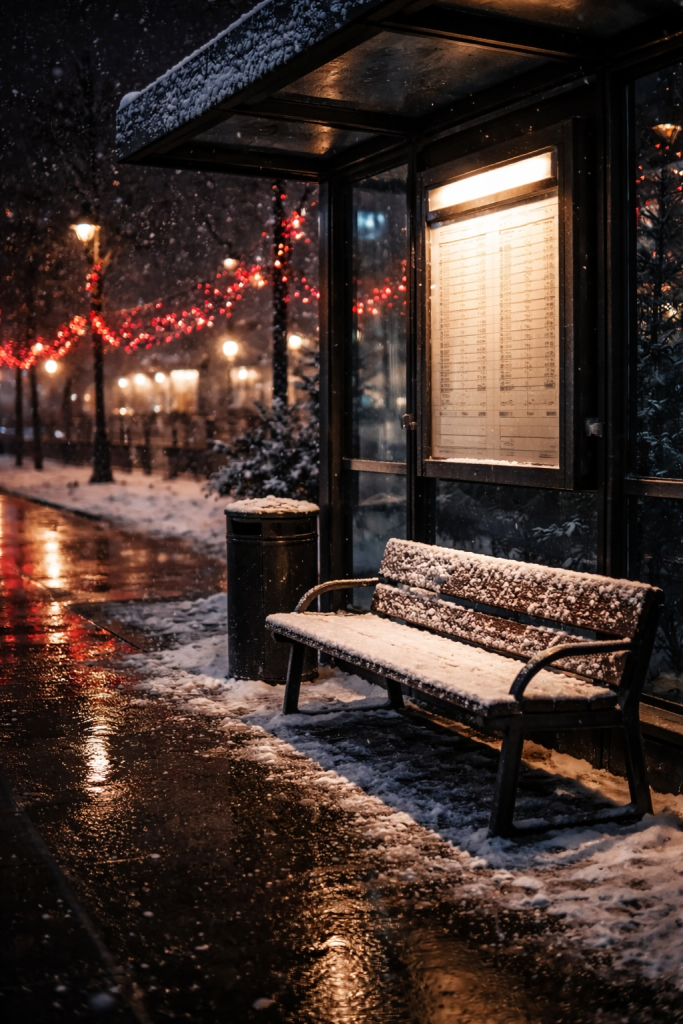
The Christmas tree might be the most flexible subject for holiday wallpapers. Photorealistic versions can show tiny apartments with one cute tree, grand hotel lobbies, or lonely pines standing in snowy fields. A close-up of ornaments with lights blurred in the background feels especially dreamy on lock screens.
For people who like softer art, watercolor trees or simple illustrated pines work well. They can lean messy and expressive or clean and minimal, depending on taste. “Deconstructed” tree ideas, like macro shots of pine needles, strings of lights, or a grid of vintage ornaments, keep the theme while focusing on details.
Abstract and geometric trees show up in modern Christmas wallpaper ideas too. Triangles stacked into a tree shape, a spiral of light forming a tree outline, or a tree made from floating golden dots all look fresh and stylish. Detailed full trees look great on lock screens, while blurred or simplified versions keep home screens usable.
Festive Characters: Santa, Reindeer & Friends
Character-based wallpapers carry a lot of story in one image. Santa can show up as a classic storybook figure, a funny cartoon, a vintage print, or even a flat minimalist silhouette flying across the moon. Each version gives slightly different energy, from playful to nostalgic.
Reindeer work the same way. A single stag in a snowy forest feels calm and majestic. A group of cartoon reindeer with scarves and bright noses feels silly and sweet. Snowmen, elves, and penguins round out the cast, making any wallpaper feel like a tiny holiday scene, not just a random background.
These designs fit phones especially well, because seeing a character when the screen wakes almost feels like a little greeting. More detailed, story-like scenes shine on lock screens and desktops. Simpler faces or silhouettes work better behind app icons on home screens where clarity still matters.
Sweet Holiday Treats & Festive Foods
Food wallpapers tap straight into cozy memory. Candy canes, gingerbread, and cocoa bring smell and taste into play, even though it is just pixels. A repeating pattern of candy canes feels playful and graphic. Two candy canes forming a heart is simple but cute and easy to read at a glance.
Gingerbread themes can go from single smiling cookies to whole iced houses lined with candy. Styled photos of hot chocolate with whipped cream, plates of cookies “for Santa,” or holiday dessert tables give a warm, indulgent feeling. Because they mix comfort and fun, food wallpapers often bridge cute and cozy aesthetics very smoothly.
Winter’s Natural Beauty
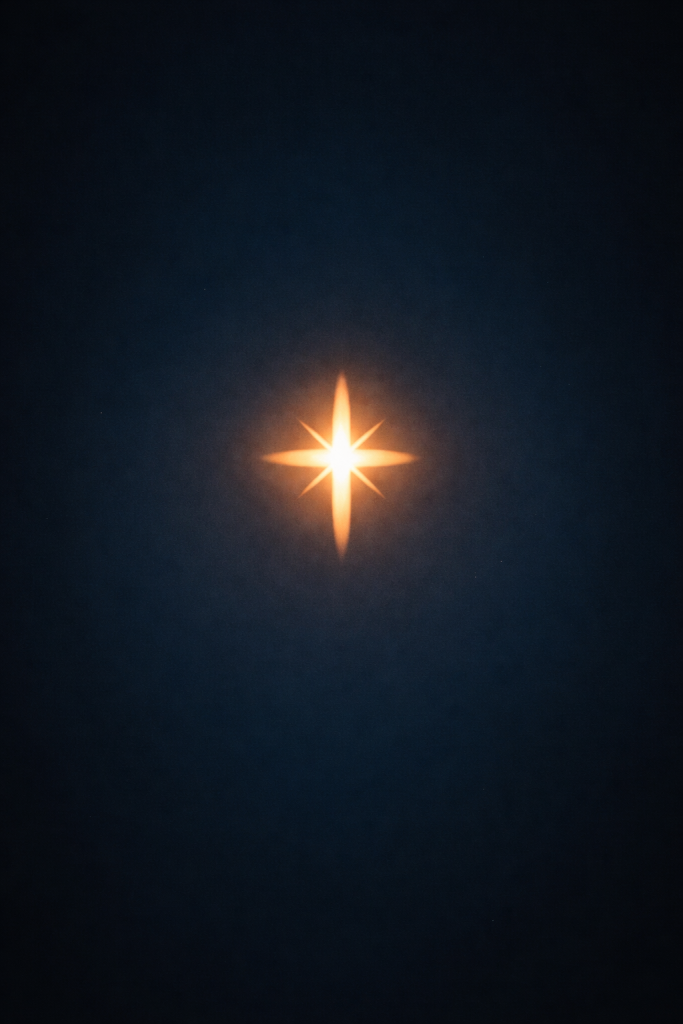
Nature-focused wallpapers lean into the beauty of winter itself, not just holiday decor. Close-up snowflake photos look almost unreal, with tiny, sharp patterns that stand out against dark backgrounds. Drawn or graphic snowflakes in white, silver, or gold feel clean and classic.
Wide snowy landscapes—mountains, forests, or quiet streets—create a calm background that works all season, even past December. Holly berries, mistletoe sprigs, pine cones, and fir branches add small pops of color and texture without overwhelming the screen. For anyone who wants something peaceful, seasonal, and not too “in your face Christmas,” nature is a strong choice.
Wallpapers For Every Device In Your Life
One wallpaper rarely fits every screen perfectly. Phones get handled all day and need readable icons. Laptops have giant canvases but also taskbars and heaps of folders. Tablets sit somewhere in between, and smartwatches need designs so simple they almost feel like logos. Treating each device the same often leads to cropped faces, cut-off text, and blurry edges.
Thinking about a few basics makes picking wallpapers for each screen much easier:
-
Resolution: A photo that looks fine on a phone screen can fall apart when stretched across a big monitor. Hunting for HD or 4K images keeps everything sharp.
-
Orientation: Vertical images suit phones. Horizontal shots sit better on laptops and many tablets used in landscape mode. Most wallpaper sites already sort by this.
-
Coordination across gadgets: Matching screens do not have to be identical. A snowy forest on the laptop, a close-up of one pine branch on the phone, and a tiny snowflake on the watch still tell one cohesive story.
-
Icon placement: On phones and tablets, icons usually line up across the top and middle of the home screen. On desktops, they crowd the left side. When choosing Christmas wallpaper ideas, it helps to mentally overlay where icons will sit and to pick images with calmer areas in those spots.
Mastering Your Phone Lock Screen & Home Screen
Phones deserve the most thought, because they get the most screen time. The lock screen is the dramatic one. Since no icons float over it, this is where busy, detailed images shine. Full cozy living rooms, snowy villages, character scenes, or wallpapers with quotes all sit nicely here.
Home screens are where things can go wrong fast. App icons, widgets, and notification dots already create a lot of visual noise. A chaotic background behind all that can make everything feel messy. Simple designs with large areas of solid or softly textured color work best. Patterns with small, spaced-out icons or a single element in one corner keep icons readable.
A fun trick is the “matching pair” idea. Use a wide scene on the lock screen and a close-up crop of that same scene on the home screen. Another option is to blur the same image for the home screen version. Many phones include a built-in blur filter when setting wallpapers, which keeps the original vibe but adds clarity.
Customization tools go even further. On iOS, the clock on the lock screen can change font style and color to match the background. Widgets can be styled with matching colors using popular widget apps. On Android, icon packs and launcher themes help keep everything consistent. Lining up app icons over areas with less detail in the wallpaper makes everything look cleaner and more intentional.
Optimizing Desktop & Laptop Backgrounds
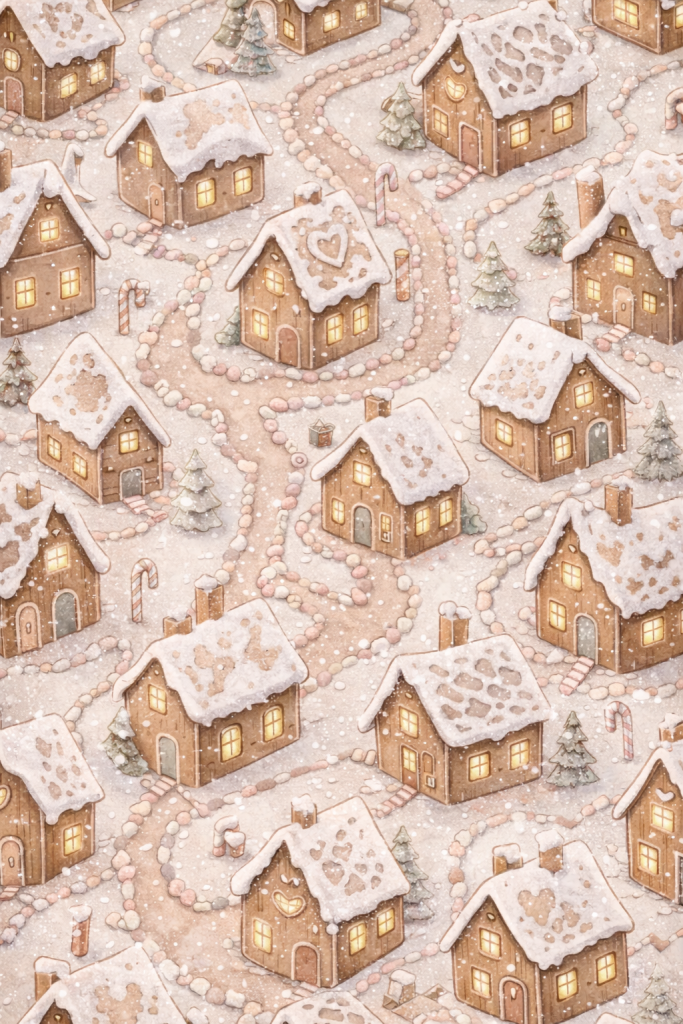
Laptops and desktops give way more space, which sounds great until the image starts looking stretched or pixelated. High-resolution files are non-negotiable on large screens. Many wallpaper sites offer filters for screen size, aspect ratio, and orientation, so choosing an image close to the monitor’s resolution helps keep it crisp.
Composition matters too. A centered subject often ends up buried under desktop icons. Wallpapers that place the main focus on one side leave room on the other for folders and shortcuts. This follows the “rule of thirds,” where important parts sit off-center for a more balanced look. It also makes the screen easier to use.
Taskbars deserve attention as well. Dark bars on top of dark images can hide menus. Bright bars over busy patterns can feel messy. Choosing a wallpaper with a slightly different tone near the taskbar area helps icons and text stay visible. People who use dual monitors can either spread one long panoramic scene across both screens or pick two related images for each display.
Animated desktop backgrounds add extra coziness. Slow-falling snow, a fireplace loop, or lights that gently twinkle can make a long homework or gaming session feel less draining. There are desktop programs built just for animated wallpapers. Many of them pause animations during full-screen apps so they do not interfere with performance, and they offer options to limit resource use.
Don’t Forget Tablets & Smartwatches
Tablets sit between phones and laptops in how they get used. They often handle streaming, reading, or note-taking, so they need wallpapers that feel cinematic without fighting with apps or widgets. Images with a clear focal point in the center and softer details around the edges usually work best.
Because tablets flip between portrait and landscape, it helps to choose wallpapers that look good both ways. Avoid text-heavy designs here, since rotation can chop off words or make them hard to read. Gentle patterns, soft winter scenes, and simple holiday illustrations all fit this device well.
Smartwatches, on the other hand, need extreme simplicity. The screen is small, and busy photos turn into messy blobs. Single icons like a snowflake, tree outline, gingerbread person, or star work far better. A solid background in seasonal colors like red, deep green, or champagne gold with minimal shapes keeps the face clear.
Centered subjects work best for watch faces, because complications and time displays often sit around the middle. Matching the face color to the watch band or swapping bands to suit a new wallpaper can also be a low-effort way to make the whole setup feel more put-together. Many watch brands even release seasonal faces in December, which can be a fast shortcut.
Where To Find The Best Free Christmas Wallpapers
The internet is stuffed with holiday wallpapers, but a lot of them are low-res, overly filtered, or just not the vibe. Finding images that look clean on modern screens without paying for stock can take more effort than expected. Knowing where to look and how to search cuts that time down a lot.
Different platforms shine at different things. Some focus on high-end photography. Others lean into illustration and graphic design. Social feeds bring in creator-made content that feels more current and playful. Dedicated wallpaper apps bundle everything into one place with built-in cropping tools.
Search terms make a massive difference. Typing just “Christmas wallpaper” brings back a wild mix of styles and quality levels. Adding words for the aesthetic, color palette, or subject gives much better results, like “dark green minimal Christmas,” “pastel gingerbread pattern,” or “cozy Christmas fireplace bokeh.”
Usage rights matter too. Even free sites have rules. Many platforms label downloads as safe for personal use, which covers using them as wallpapers but does not cover reposting as original art. Checking licenses is worth the extra few seconds, especially if there is any plan to share screenshots or edits online.
Professional Stock Photo & Design Resource Sites
Photo and design resource sites are perfect when sharp quality matters. Many of them host professional photographers and illustrators who upload images under friendly licenses, which means crisp wallpapers without worrying about watermarks. They often include search filters for orientation, size, and style.
Some sites lean heavily into vector art, patterns, and layered files people can edit with design programs. Those are ideal for anyone who likes graphic, flat-style Christmas wallpaper ideas, or wants to tweak colors and text. Seamless patterns, watercolor backgrounds, and cute icon sets often show up here and can be turned into wallpapers with almost no effort.
Other platforms focus more on photography. These shine when someone wants real-life cozy living rooms, snowy streets, or macro ornament shots. The lighting tends to look natural instead of over-edited, which helps wallpapers feel calm instead of harsh. Search terms like “Christmas bokeh lights,” “holiday cookie flat lay,” or “snowy pine forest” pull beautiful options.
Many of these sites let people filter by resolution so that images match their device screens. Most content is free for personal use, even without credit, though supporting artists with a tag or mention is always kind. Some also include free video clips, which can be used for live wallpapers on certain devices.
Social Media Platforms As Wallpaper Goldmines
Social media might be the fastest way to find wallpapers that match current trends. Visual platforms operate almost like mood boards run by the entire internet. Search results there often feel more personal and aesthetic-driven than basic image search.
One platform in particular acts like a visual search engine. Typing something like “cottagecore Christmas phone wallpaper,” “dark academia winter background,” or “pink Christmas lock screen” pulls whole boards of saved images in that style. It is very easy to fall down a rabbit hole, but in a good way.
Creators on photo and short-video apps also share free wallpapers during December. Many post them in Stories, carousels, or short clips with instructions like “screenshot to use.” Searching hashtags such as #christmaswallpaper, #iphonewallpaper, or #holidaybackground helps locate these posts. It is smart to tap through to the creator’s profile, since many pin collections of seasonal designs.
Newer aesthetic-focused apps have also started acting like quiet wallpaper hubs. Their users post themed photo sets and design boards, often with matching backgrounds included. As with any social platform, saving the highest-quality version and respecting creator credits keep everything respectful and clean.
Dedicated Wallpaper Apps & Creator Tools
Wallpaper-focused apps round up backgrounds in one easy place. They usually sort images into categories like “Christmas,” “Winter,” “Minimal,” or “Cute,” which helps narrow things down without complicated search terms. Many update often, so new holiday drops appear across December.
Most apps work on a freemium model. The free tier usually includes plenty of options for seasonal wallpapers, with a premium tier for extra collections. Some allow direct cropping and positioning for specific phone models, which saves time.
Design tools also pull double duty as wallpaper finders. Their template libraries include pre-made phone and desktop backgrounds labeled for holidays. These can be used as-is or edited with personal photos, text, or color tweaks. Since the interfaces use drag-and-drop controls, someone with zero design background can still craft a polished wallpaper in a few minutes.
Creating Your Own Custom Christmas Wallpaper
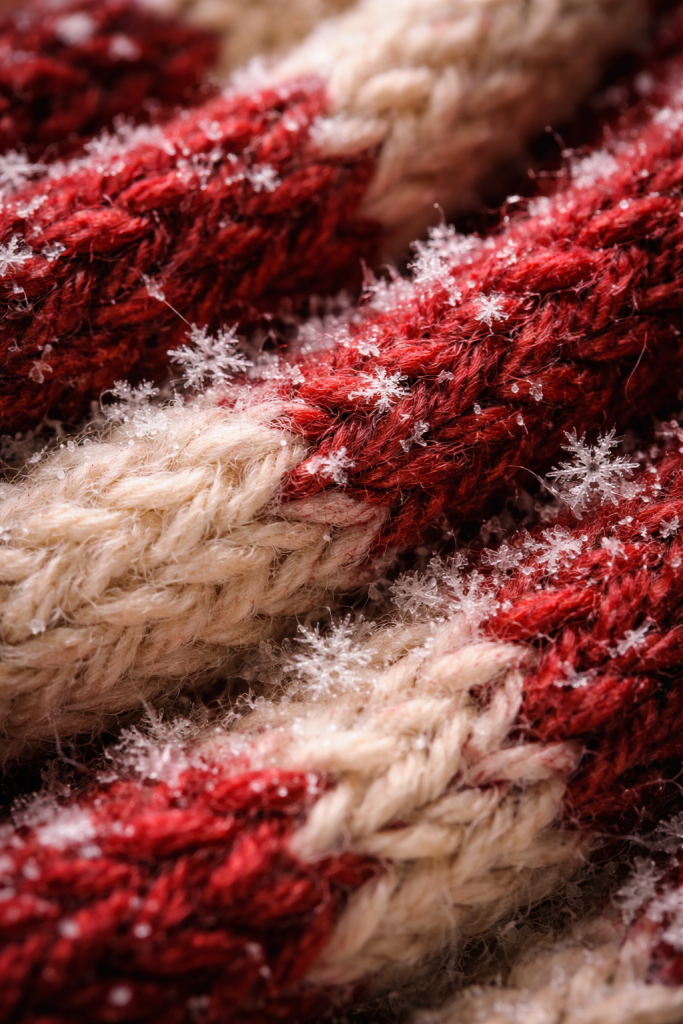
Sometimes the perfect wallpaper just does not exist yet. Maybe the color palette in mind is oddly specific, or someone wants their own pet in a Santa hat front and center. That is where custom Christmas wallpaper ideas come in. Making one sounds complicated at first, but modern tools make it far more approachable.
Creating a custom wallpaper has a special kind of satisfaction. Instead of picking something thousands of other people already saved, there is this feeling of, “This one is mine.” It can include favorite quotes, inside jokes, screenshots, or color combos nobody else would think to mix. Even small tweaks, like adding a name or date, make it feel more personal.
There are different levels for different energy levels. People who want instant results can use AI image generators with text prompts. Those who like visual editing can use simple drag-and-drop design apps. Anyone with a decent holiday photo can use free mobile editing apps to polish it into wallpaper form.
The idea is not to chase design perfection. It is about having fun while building a digital space that feels calm, pretty, or playful on purpose. Even tiny improvements cut down on that “visual clutter” feeling and make screens feel more like they were designed, not just left on default.
“Design is not just what it looks like and feels like. Design is how it works.” — Steve Jobs
Using AI Image Generators For Instant Magic
AI image generators feel almost like manifest using ChatGPT and getting a picture back. Popular tools on major platforms take written prompts and turn them into visuals in seconds. The key is writing prompts that are detailed enough to give the AI a clear direction.
A strong prompt usually covers a few areas:
-
Subject: What should be in the image? For example, “cozy Christmas living room” or “cute gingerbread man.”
-
Style: How should it look? Think “anime,” “watercolor,” “minimal line art,” “3D clay,” or “dark moody photo.”
-
Details: What small touches matter? Ideas like “steaming mug of cocoa on a wooden table,” “snow falling softly outside the window,” or “warm glowing lights” make a big difference.
-
Usage and layout: Tell the AI what the image is for, such as “phone wallpaper, vertical, lots of empty space at the top,” or “4K desktop wallpaper, subject on the right side.”
Lighting and mood matter too. Phrases like “soft warm light,” “cinematic lighting,” “moonlit night,” or “foggy winter morning” push the look in specific ways.
A few examples show how this plays out:
-
“Aesthetic Christmas phone wallpaper, pastel pink and mint green gingerbread cookies and candy canes in a seamless pattern, flat vector illustration, soft shadows, clean background.”
-
“Dark moody Christmas desktop background, elegant golden reindeer made of tiny stars and constellations, deep navy sky, subtle glow, 4K resolution.”
-
“Cozy Christmas living room, anime style, decorated tree with warm fairy lights, sleeping cat on a plaid blanket, snow falling outside the window, soft orange lighting, vertical phone wallpaper.”
Most tools let users generate several variations and pick their favorite. Free versions exist, though they might limit daily images or output size. Being specific and running a few tests usually gives at least one wallpaper-worthy result.
Canva & Design Tools For Easy Customization
Design apps such as Canva make custom wallpapers feel surprisingly simple. Many of them live in a browser or have free phone versions, so there is no need for fancy software. The interface usually works like this: pick a size, drag elements around, type in text, and export.
For beginners, templates are the easiest entry point. Typing “Christmas phone wallpaper” or “holiday desktop” in the template search bar brings up layouts with backgrounds, fonts, and graphics already placed. Swapping in different text, changing a color, or adding a photo is often enough to make it feel personal.
Building from scratch is also an option. The steps usually look like this:
-
Choose custom dimensions that match the device, such as 1080 by 1920 pixels for many phones or your monitor’s exact resolution for desktops.
-
Set a background with a solid color, gradient, or photo that matches the mood you want.
-
Add elements from the built-in library—snowflakes, trees, ornaments, hand-drawn doodles, stars—and arrange them. Pull some forward, send others back, and adjust transparency for softer looks.
-
Add text if desired. Quotes, song lyrics, or simple words like “Joy” or “Merry” can sit in the center or at the bottom of the screen.
Text tools allow adding those words in different typefaces. Script fonts feel whimsical. Serif fonts feel classic. Clean sans-serif fonts feel modern. Color should tie into the rest of the wallpaper so it does not fight the background.
Other beginner-friendly design apps work similarly and offer free tiers. Saving multiple versions—one vertical for phones and one horizontal for laptops—means the same theme can run across devices without weird cropping.

Photo Editing Magic With Your Own Images
Some of the best Christmas wallpaper ideas start from photos already on the camera roll. A shot of a tree at night, a pet in a sweater, or a city street with holiday lights can turn into a perfect wallpaper with a few small edits.
Picking the right photo matters. Clear subjects, decent lighting, and some empty space for icons or widgets make life easier. Backlit windows, bokeh lights, and close-ups of ornaments often work very well because they already feel atmospheric.
Free mobile editing apps do most of the heavy lifting:
-
Filters can manifest beauty for cozy golden light or cool them down for crisp winter vibes.
-
“Glow” or “bloom” effects make lights look softer and more magical.
-
Tools like blur or portrait mode add depth by softening the background while keeping the subject sharp.
Color sliders let people boost reds and greens for extra holiday punch or mute everything slightly for a softer aesthetic. Text overlays add dates, words, or song lyrics. Simple graphic stickers like stars, snowflakes, or candy canes can also add charm without much effort. Saving at the highest resolution keeps the final wallpaper looking clean on any screen.
The Magic Of Live & Animated Wallpapers
Static wallpapers already change how devices feel, but live and animated options add a whole extra layer. A screen with snow that actually falls, lights that gently flicker, or a fireplace that really crackles pulls the brain in a different way. It feels less like an image and more like a tiny scene.
Movement affects mood a lot. Slow, looping animations can meditation for sleep, like watching rain from a window. That is why Christmas wallpaper ideas with subtle motion—snow, steam, flickering lights—hit so well. They bring holiday vibes without shouting for attention.
There are a few types to consider. Simple loops are just short videos or animations that repeat over and over. More advanced options are interactive, reacting when tapped or tilted. Some can even change based on the time of day or current weather, swapping daylight for night or clear skies for snow.
There are trade-offs, though. Live wallpapers can pull a bit more battery and processing power. On most modern phones and laptops it is manageable, but anyone already fighting low battery should keep that in mind. For some devices, a static version of the same scene may be the better everyday pick.
The best animated wallpapers feel subtle. Fast, flashy motion becomes tiring over time. Gentle movement that sits mostly in the background gives the cozy effect without stress. If a wallpaper looks like it might give a headache after a few hours, it is probably too much.
Popular Animated Christmas Scenes
Certain animated holiday scenes show up again and again because they just work. Falling snow is the main one. Whether it is drifting over a village, a lonely tree, or a city skyline, slow snowflakes fading in and out are calming and pretty. The motion keeps the wallpaper from feeling flat without distracting from icons.
Fireplace loops do something similar. Flames that dance, logs that glow, and small sparks that rise all add warmth, especially on desktops and tablets. It feels like having a tiny hearth on the desk while studying or gaming. Paired with soft background music from a separate app, it can change the whole mood of a room.
Twinkling lights also make great Christmas wallpapers. They may sit on a tree, along a house roofline, or strung across a window. When they fade and brighten slowly, they create that familiar “fairy light” shimmer. For food lovers, a still image of hot cocoa or coffee with a small loop of rising steam brings a cozy café feeling to the screen.
More detailed animations tend to belong on larger screens like laptops, where there is room to appreciate them. Phones work well with simpler scenes on the lock screen, while home screens benefit from softer or slower movement so icons stay readable.
Interactive & Smart Dynamic Wallpapers
Interactive wallpapers raise the “wow” factor. Touch-reactive ones may send snowflakes flying when tapped, make ornaments sway, or leave glowing trails as fingers move across the lock screen. These tiny reactions make a device feel playful in a way static images never do.
Some wallpapers use a device’s gyroscope to create depth. As the phone tilts, the perspective shifts slightly, making it look like the viewer is peeking into a 3D snow globe or forest. It is subtle but surprisingly fun.
There are also smart, dynamic wallpapers that change on their own. A snowy village might look bright and golden in the morning, shift to pink and orange at sunset, and settle into deep blue with stars at night. Weather-based scenes can match actual conditions, swapping between snowfall, clear skies, or clouds. These work best on desktops and modern phones that support these features through specific apps.
How To Find & Set Up Live Wallpapers
Setting up live wallpapers looks a little different on each platform, but the basic ideas repeat. On some phones, short video clips or special moving photos can act as lock screen wallpapers. Tapping and holding the screen brings them to life for a moment.
Short vertical videos from social apps can often be saved as special moving photo files, then applied as lock screens. This makes it easy to turn favorite aesthetic clips—like snow falling outside a café, or ornaments in soft focus—into temporary backgrounds.
There are also dedicated apps full of pre-made live wallpapers for phones, sorted into categories like “Christmas,” “Winter,” or “Cozy.” Many of them include both animated and static versions so users can switch depending on mood or battery life.
On Android, long-pressing the home screen usually brings up a wallpapers menu that includes live options, some built-in and some from downloaded apps. On desktops, special programs can set looping videos, GIFs, or animated scenes as the background. For laptops on battery power, it helps to pause or switch to static images during long unplugged sessions to save energy.
Pro Tips For Creating A Cohesive Festive Digital Aesthetic
A single cute wallpaper is nice. A whole set of screens that feel like they belong together feels next-level. When phone, laptop, tablet, and watch all share one seasonal theme or palette, daily tech use suddenly feels calmer and more intentional, not random and messy.
Before swapping everything at once, it helps to treat the process like a mini mood board. Pick a few reference pictures or save a tiny collection of Christmas wallpaper ideas that match the feeling wanted—maybe “soft cabin night,” “pink candy Christmas,” or “dark starry winter.” Look for repeat colors and textures in those photos.
From there, stick to three or four core colors across all devices. For example, a set might use deep green, cream, chestnut brown, and gold. Another might use baby pink, soft white, and mint. When widgets, app icon themes, and even phone cases echo those colors, the whole setup feels peaceful and put together.
This is also where the idea of decluttering your space comes in. Screens can feel just as cluttered as messy rooms. Busy wallpapers behind dozens of icons, random widgets, and mismatched colors add low-key stress. Choosing calm backgrounds, reducing widgets, and placing icons thoughtfully can make every glance at the screen feel lighter.
Seasonal transitions do not have to happen overnight either. Some people like to move from general autumn wallpapers to winter nature scenes, then to full Christmas art right before the holiday. Others keep one base image and swap only small pieces, like changing watch faces or lock screens. Experimenting is half the fun, and nothing is permanent.
Matching physical items to digital ones is the final polish. A phone case that echoes wallpaper colors, or a laptop skin that matches the desktop background, makes everything feel like one aesthetic set. If it ever starts to feel like a chore, though, that is the sign to simplify, pick one or two favorite wallpapers, and enjoy the season without overthinking.
“Your home should tell the story of who you are, and be a collection of what you love.” — Nate Berkus
Conclusion
Think back to that tiny pause when a phone lights up. With the right background, that moment can feel like a micro-reset each time. A soft cottage scene, a single elegant snowflake, or a chaotic crowd of gingerbread people can all send the same quiet message: it is the holidays, and this screen feels like home.
At this point, there is enough info to pick a personal holiday vibe, style it across every device, find high-quality images, and even design custom Christmas wallpaper ideas from scratch. There is no rulebook to follow. If it makes a person smile or relax when they look at it, it is doing its job.
Personalization is not about impressing anyone. It is about building digital spaces that match who someone is and how they want to feel. Some people will live in dark, moody forests with gold stars. Others will keep pastel snowmen on every screen. Both choices are valid.
The best approach is to play. Try a live snow wallpaper for a week. Swap to a simple text quote when focus is needed. Build a small folder of favorites and rotate through them as December goes on. Tiny changes like these can quietly boost holiday spirit and manifest positive energy more than expected.
So open the screen settings, pick a starting idea, and give the tech a little seasonal glow-up. The next time a notification shows up, the wallpaper behind it might be the smallest, coziest part of the entire day.
FAQs
What Size Should My Christmas Wallpaper Be For My Phone?
Most modern smartphones use tall, high-definition resolutions. Newer iPhones often work well with wallpapers around 1170 by 2532 pixels or higher. Many Android phones look good with 1080 by 1920 pixels or similar sizes. Most wallpaper sites already let people filter by device or resolution, which keeps things simple.
You can use this as a loose guide:
|
Device Type |
Approximate Wallpaper Size (px) |
|---|---|
|
Newer iPhones |
~1170 × 2532 or higher |
|
Many Android Phones (FHD) |
~1080 × 1920 or higher |
|
Larger Phones / “Plus” |
~1284 × 2778 or higher |
It is better to go slightly bigger than too small, because phones can scale down but stretched images look blurry. When in doubt, check the screen resolution in the phone settings and start from there.
Can I Use Any Image I Find Online As My Wallpaper?
For personal use on a phone or laptop, many images are fine to use as long as they are not resold or reposted as original art. Stock photo and design sites that mark images as free for personal use are the safest options.
Some content falls under Creative Commons licenses, which explain in plain language what is allowed. It is always good practice to avoid watermarked images and to give credit if sharing screenshots of the wallpaper online. Sticking to trusted platforms keeps things simple.
Will A Live Wallpaper Drain My Phone Battery Faster?
Live wallpapers do use more battery than static ones, but on most recent phones the difference is not huge. Simple animations like slow-falling snow or gentle light flickers use less power than complex interactive scenes.
Most phones pause live wallpapers completely when the screen is off, which helps a lot. If battery life is already a struggle, it makes sense to switch back to a static wallpaper for busy days. Checking the battery section in settings can show exactly how much power the wallpaper uses.
How Often Should I Change My Christmas Wallpaper?
There is no rule at all here. Some people swap wallpapers every day during December just for fun. Others pick one favorite and keep it for the entire season.
A nice middle ground is to save three to five wallpapers and rotate through them when the current one starts to feel boring. Changing wallpapers can refresh the mood the same way changing a playlist does. Many people like to pick a special new wallpaper for the week before Christmas as a little final treat.
What’s The Difference Between Lock Screen And Home Screen Wallpapers?
The lock screen is the first thing shown when the phone wakes up, before you enter a passcode or use Face ID or Touch ID. The home screen appears afterward and is where all the apps, widgets, and folders live.
Lock screens can handle more detailed or busy images because nothing covers them. Home screens need simpler designs with more open space so icons stay readable. Many phones let users choose different images for each screen, which makes it easy to go dramatic on the lock screen and calmer on the home screen.
Can I Create A Christmas Wallpaper Without Any Design Skills?
Yes, absolutely. Modern tools are built for people who are not trained as designers. Template-based apps let users start with finished designs and only change text, colors, or photos. AI image generators only need a written description of what is wanted.
Even just adding text or a filter on top of a favorite holiday photo can turn it into a wallpaper. If the first attempt looks off, it can just be deleted and tried again. In this case, done is always better than perfect.
Where Can I Find Wallpapers That Match My Specific Aesthetic (Dark Academia, Cottagecore, Etc.)?
For niche aesthetics, visual search platforms are almost unbeatable. Typing phrases like “dark academia Christmas wallpaper,” “cottagecore winter background,” or “Y2K holiday phone lock screen” brings up options tuned to that exact vibe. Aesthetic-focused apps and boards often collect these kinds of designs into themed posts.
On social apps, combining aesthetic names with tags like #christmaswallpaper or #iphonewallpaper helps surface creator-made designs. Searching by color, such as “forest green and gold Christmas wallpaper,” can also narrow things down to match a very specific style.